55 Watercolor Brushes for Illustrator: A Designer's Essential Toolkit
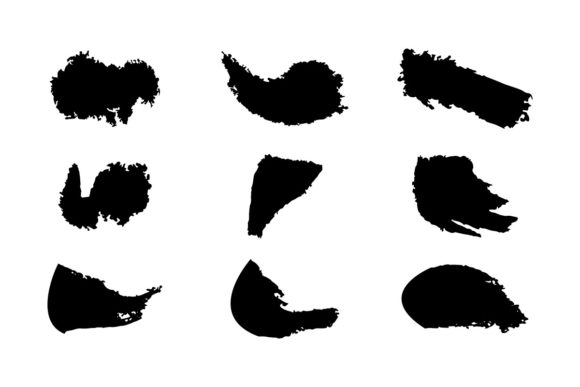
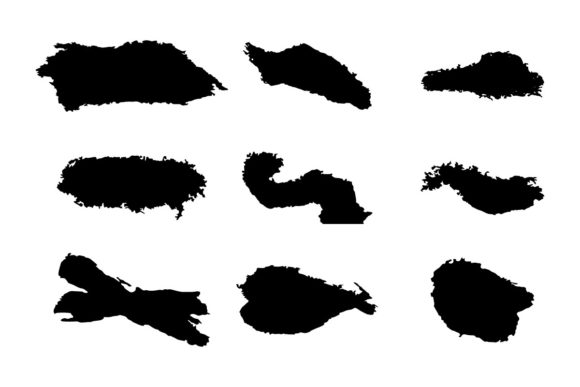
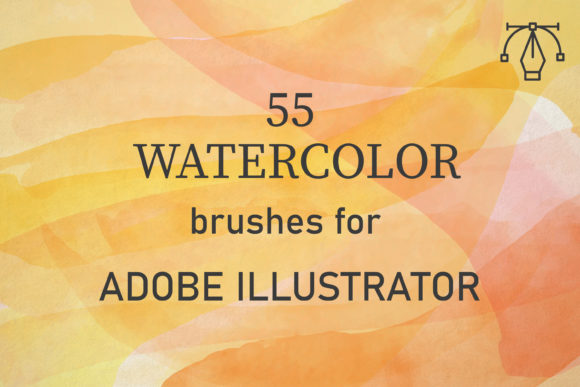
There's a certain magic in watercolor that's hard to replicate digitally. The unpredictable bleeds, the soft washes, the layered transparency—it all adds up to a style that feels organic and alive. For designers who work in Adobe Illustrator, capturing that authentic look has often meant exporting to Photoshop or settling for vector approximations that feel stiff. That's where the 55 Watercolor Brushes for Illustrator change the game. This pack delivers 55 unique vector brushes, each one scanned from real watercolor paint strokes, giving you the genuine texture and flow of traditional media right inside your vector workflow.
Beyond Flat Vectors: Bringing Organic Texture to Your Work
What sets these brushes apart is their origin. They aren't just digitally drawn shapes; they're created from actual watercolor applications, meticulously converted into high-quality vector art. This means every stroke retains the subtle irregularities, the granulation, and the beautiful "happy accidents" that make watercolor so appealing. The visual personality is soft, expressive, and inherently artistic. Whether you're designing a logo for an artisan bakery, creating social media graphics for a wellness brand, or laying out editorial pages for a lifestyle magazine, these brushes inject a human touch that sterile digital tools often miss.
The practical applications are vast. Imagine building a textured background for a website hero section that feels warm and inviting. Picture creating unique header treatments for blog posts that stand out in a crowded feed. Consider designing packaging for a handmade candle brand where the label needs to feel as special as the product inside. The 55 Watercolor Brushes for Illustrator are not just for "pretty pictures." They are functional design assets that solve real problems in brand identity, editorial design, and packaging design. They work exceptionally well for projects that aim to convey creativity, authenticity, and a handcrafted sensibility.
Mastering the Technique: How to Use These Brushes Effectively
Getting the most out of this toolkit is surprisingly straightforward, but a few key techniques will elevate your results. The core principle is layering, just like with real watercolors. After applying a brush stroke to a path, you'll want to adjust its Blend Mode. Setting it to Multiply or Darken is essential. This allows the strokes to interact with each other and with underlying colors, creating those beautiful, deep tones where washes overlap.
Next, play with Opacity. Reducing the opacity of a stroke lets you build up tone gradually, creating depth and dimension. Don't be afraid to overlap strokes of varying sizes and opacities. This builds up the complex, layered texture that is the hallmark of authentic watercolor. The brushes are vectors, so you can scale them infinitely without losing quality, but their true strength lies in their detailed texture. For the best visual hierarchy, use larger, more transparent washes for background elements and smaller, more opaque strokes for foreground details or textural accents.
Practical Integration into Your Design Projects
When considering these brushes for a project, start by evaluating the brand's personality. Are you working for a modern tech startup? Probably not the best fit. But for a yoga studio, a children's book illustrator, a wedding stationery designer, or a boutique coffee roaster? Perfect. The style communicates warmth, creativity, and attention to detail. It can make a logo design feel more approachable and unique.
A crucial step is font pairing. The organic, fluid nature of watercolor textures pairs best with typefaces that have some character of their own. A clean sans serif font can provide excellent contrast and readability, while a thoughtful serif font can complement the traditional feel. A script font or handwritten font can be used sparingly for headlines to enhance the artistic vibe, but always ensure legibility. The goal is balance—let the watercolor texture support the message, not overwhelm it. This thoughtful approach to modern typography ensures your final design feels cohesive and professional.
Why This is a Valuable Addition to Your Creative Library
In a digital landscape saturated with crisp, perfect vectors, having a tool that introduces controlled imperfection is a significant advantage. The 55 Watercolor Brushes for Illustrator are more than just a novelty. They are a practical solution for adding visual interest, emotional resonance, and a distinct point of difference to your work. They streamline the process of creating textured artwork entirely within Illustrator, saving you time and keeping your workflow unified.
For entrepreneurs and small business owners creating their own materials, these brushes offer a way to achieve a high-end, custom look without a steep learning curve. For professional designers, they expand your stylistic range and provide a reliable set of tools for client projects that call for an organic aesthetic. The compatibility with Adobe Illustrator CC and above on both PC and Mac ensures they'll fit seamlessly into your existing setup. By focusing on real-world application—from web design elements to printed materials—this set proves its value as a versatile and essential part of a modern designer's toolkit.