33 Splashes Illustrator Brushes: Instant Grit for Your Artwork
If you've ever stared at a clean vector illustration and felt it was missing a certain organic spark, you know the struggle. That perfect, sterile finish can sometimes work against you, making a design feel flat or overly digital. The 33 Splashes Illustrator Brushes set is designed specifically to solve that problem. This is not a font, but a versatile collection of vector brushes that act as your on-demand toolkit for adding texture, energy, and a handcrafted feel to any project. Think of it as a can of digital spray paint, a splattering of ink, or a collection of authentic stains—all fully controllable within Adobe Illustrator.
From Digital to Handmade in a Click
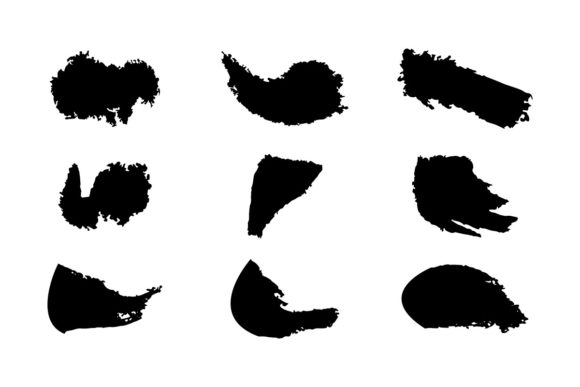
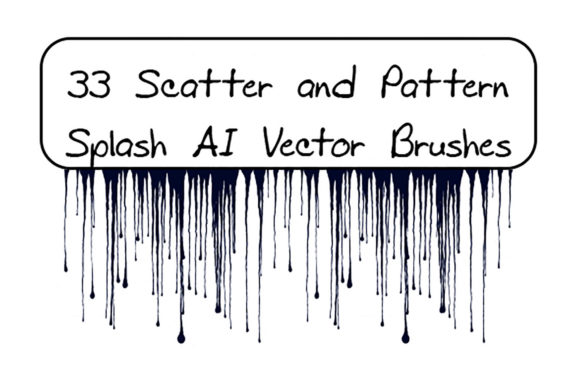
The core appeal of this collection is its ability to bridge the gap between clean vector art and raw, tactile texture. You get two distinct types of assets: 19 scatter brushes for creating splashes, sprays, spots, and blots, and 14 pattern brushes for drips, streaks, and flowing lines. The scatter brushes are fantastic for creating random, organic backgrounds or accent marks. The pattern brushes allow you to draw a path and have it instantly transform into a realistic dripping line or a stained border. This combination is powerful for anyone working in graphic design, from creating gritty social media graphics to adding depth to packaging design.
The personality of these brushes is inherently bold, energetic, and a little rebellious. They evoke a sense of action—like the aftermath of a paint fight or the accidental drip of a coffee cup. This makes them perfect for projects that need to convey movement, authenticity, or a raw, urban aesthetic. For a small business owner creating a poster for a live music event, or a blogger designing a header for a DIY tutorial, these brushes provide instant visual impact that stock images often lack.
Practical Applications Across Your Projects
Where does a tool like this fit best? The answer is broader than you might think. While they are obvious choices for grunge or street art styles, their utility extends into more polished realms when used with restraint.
- Brand Identity & Logo Design: Use a subtle spray texture as a background element in a logo or on a business card to add a unique, handmade quality. It can make a brand feel more approachable and artisanal.
- Editorial & Publication Design: In magazine layouts, book covers, or zines, splashes and drips can be used as artistic section dividers, chapter headings, or to create dynamic pull quotes that draw the reader's eye.
- Packaging & Product Labels: For products like craft beers, artisanal foods, or cosmetics, these textures can suggest a natural, handmade process. A drip brush could outline a label, giving it a vintage or laboratory-inspired look.
- Digital Content & Marketing: Create standout YouTube thumbnails, Instagram story backgrounds, or email newsletter headers. The textures add a layer of visual complexity that helps content pop in a crowded feed.
- Apparel & Merchandise: Design unique graphics for t-shirts, tote bags, or posters. The vector nature means your artwork scales perfectly from a small sticker to a large banner.
The key is intentionality. A full-page splatter might overwhelm a corporate report, but a few well-placed spots in the margin of a creative resume can demonstrate personality and design skill. It's about using the texture to support your message, not drown it out.
Getting the Most from Your Vector Brushes
Using these brushes effectively is straightforward, but a few best practices will elevate your results. First, always work on a separate layer. This non-destructive approach lets you easily adjust the opacity, blend mode, or position of your textures without altering your original artwork. Play with the color, size, and thickness settings—these brushes are fully customizable. A black splash on a white background feels classic; a bright pink drip on a pastel background feels modern and playful.
Think about visual hierarchy. Use larger, more intense splashes to draw attention to key areas, and smaller, subtler spots for background texture. The pattern brushes are particularly useful for creating consistent borders or underlines. Remember, you're not just adding chaos; you're guiding the viewer's eye through your design.
Compatibility is also a strong point. With files included for Illustrator CS6 and up, as well as AI and EPS 10 formats, most designers can get started immediately. The included PDF help file with screenshots is a valuable resource for beginners, showing exactly how to load and apply the brushes. This makes the set a great piece of design assets for both seasoned professionals and those newer to Adobe Illustrator.
Ultimately, the 33 Splashes Illustrator Brushes set is a specialized tool for a common need: making digital art feel alive. It’s a creative shortcut to texture and personality, saving you hours of trying to create these effects from scratch. Whether you're a content creator looking to brand your visuals, a marketer designing an eye-catching ad, or a hobbyist working on a personal project, these brushes offer a practical and immediate way to enhance your work. The ability to easily modify them ensures they can adapt to your unique style, making them a versatile addition to any designer's toolkit.